Pages

Showing posts with label linux. Show all posts

Thursday, August 14, 2014

How to create local repositoy RHEL 6

As in the post How to create local repositoy SLES 10 we also can do the same thing on RHEL (Redhat Enterprise Linux) 6 using yum. Here are the steps :
  1. Install the createrepo package:
  2. Copy all of the packages into one directory, such as /home/choirul/local_repo/ 
  3. Run the createrepo --database command on that directory:
    createrepo --database /home/choirul/local_repo
  4. Create a new file in /etc/yum.repos.d, with the following contents:
    # cat /etc/yum.repos.d/local.repo
    [local]
    name=Repository from DVD
    baseurl=file:/home/choirul/local_repo/
    enabled=1
    gpgcheck=1
    gpgkey=file:/home/choirul/local_repo/RPM-GPG-KEY-release
  5. update yum with command
    yum clean all
    yum update
    yum list
  6. You can find file RPM-GPG-KEY-release in root directory of RHEL DVD
The above step is for repository that locate in folder. Beside, we also can create repositoy using iso file. Here are the steps :
  1. create mount point for repository :
    mkdir -p /path/to/repo
  2. Mount iso file on the mount point that you just created
    mount -r -t iso9660 -o loop /path/to/image/file.iso /path/to/repo
  3. If you use your cd/dvd drive, you must know where is your drive located. To know that see Linux Sysinfo command. Use this command to mount your drive
    mount -r -t iso9660 /dev/device_name /path/to/repo
  4. Choose a name for the repo file and open it as a new file
    vi /etc/yum.repos.d/dvd.repo
  5. Supply the details of the repository. For example:
    [dvd]
    name=ISO
    baseurl=file:///mnt/repo/Server
    enabled=1
    gpgcheck=1
    gpgkey=file:///etc/pki/rpm-gpg/RPM-GPG-KEY-redhat-release
    
  6. update yum
If for some reasons you need to install library, you can use command yum whatprovides [library_name] as below:
[root@short Downloads]# yum whatprovides libQtGui.so.4
Loaded plugins: presto, refresh-packagekit
1:qt-x11-4.5.3-7.fc12.i686 : Qt GUI-related libraries
Repo        : fedora
Matched from:
Other       : libQtGui.so.4
[root@short Downloads]# yum install qt-x11-4.5.3-7.fc12.i686

Thursday, February 6, 2014

How to extract files in linux

compressed files


In linux operating system, there are some kinds of compressed files. Here they are:
  1. tar.bz2.  Below are the steps to extract .tar.bz2 file :
    • Open a terminal
    • type command "tar xvjf filename.tar.bz2"
  2. tar.gz.  Below are the steps to extract .tar.gz file :
    • Open a terminal
    • type command "tar xvzf filename.tar.gz"

Monday, December 9, 2013

How to copy file between host using scp

How to copy file between host using scp

 What is Secure Copy?

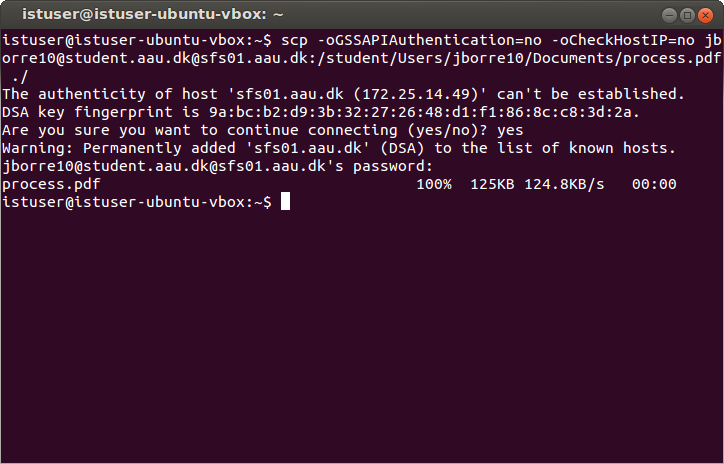
scp(Secure copy) allows files to be copied to, from, or between different hosts. It uses ssh for data transfer and provides the same authentication and same level of security as ssh

Below are the example syntax of scp :

Copy the file "foobar.txt" from a remote host to the local host
$ scp your_username@remotehost.edu:foobar.txt /some/local/directory

Copy the file "foobar.txt" from the local host to a remote host
$ scp foobar.txt your_username@remotehost.edu:/some/remote/directory

Copy the directory "foo" from the local host to a remote host's directory "bar"
$ scp -r foo your_username@remotehost.edu:/some/remote/directory/bar

Copy the file "foobar.txt" from remote host "rh1.edu" to remote host "rh2.edu"
$ scp your_username@rh1.edu:/some/remote/directory/foobar.txt \ your_username@rh2.edu:/some/remote/directory/

Copy the files "foo.txt" and "bar.txt" from the local host to your home directory on the remote host
$ scp foo.txt bar.txt your_username@remotehost.edu:~

Copy the file "foobar.txt" from the local host to a remote host using port 2264
$ scp -P 2264 foobar.txt your_username@remotehost.edu:/some/remote/directory

Copy multiple files from the remote host to your current directory on the local host
$ scp your_username@remotehost.edu:/some/remote/directory/\{a,b,c\} .
$ scp your_username@remotehost.edu:~/\{foo.txt,bar.txt\} .

By default scp uses the Triple-DES cipher to encrypt the data being sent. Using the Blowfish cipher has been shown to increase speed. This can be done by using option -c blowfish in the command line.
$ scp -c blowfish some_file your_username@remotehost.edu:~

It is often suggested that the -C option for compression should also be used to increase speed. The effect of compression, however, will only significantly increase speed if your connection is very slow. Otherwise it may just be adding extra burden to the CPU. An example of using blowfish and compression:
$ scp -c blowfish -C local_file your_username@remotehost.edu:~

Saturday, December 7, 2013

How to configure vnc server on linux

How to configure vnc server on linux
 
This post will discuss about How to configure vnc server on linux completely. For this experiment, we will user rhel (redhat enterprise linux) 6.
Here are the steps to configure vnc server on rhel :
  1. Install tigervnc-server
    # yum install tigervnc-server
  2. Edit the "/etc/sysconfig/vncservers" file to configure the required displays. The following entries enable VNC for display numbers ":2" and ":3". Notice multiple "display:user" pairs are defined on a single line, but the arguments for each display are defined separately.
    VNCSERVERS="2:root 3:oracle"
    VNCSERVERARGS[2]="-geometry 1280x1024 -nolisten tcp -localhost"
    VNCSERVERARGS[3]="-geometry 1280x1024"
  3. Set the VNC password for any users defined in the "/etc/sysconfig/vncservers" file.
    # vncpasswd
    Password:
    Verify:
    #
    # su - oracle
    $ vncpasswd
    Password:
    Verify:
    $ exit
    logout
    # 
    
  4. Enable the "vncserver" service for autostart and start the service.
    # chkconfig vncserver on
    # service vncserver start
  5. If your firewall is on, you must add this code in /etc/sysconfig/iptables
    -A INPUT -m state --state NEW -m tcp -p tcp -m multiport --dports 5901:5903,6001:6003 -j ACCEPT
    
  6. You should now be able to use a VNC viewer to connect to system using the display numbers and passwords defined.
Once your VNC server is configured, you can connect to it from any VNC client. On Linux this will often be TigerVNC, installed using the following command.
# yum install tigervnc
To connect to a VNC server use the following command.
# vncviewer machine-name:port
# vncviewer maggie.localdomain:3
# vncviewer 192.168.0.4:3

Friday, April 19, 2013

How to create service in Linux


Sometimes we need to make our program automatically run when computer started.
To do this, we need to make our program as service and make it started when computer booted.
This time, we will discuss about how to create service in linux using httpd compiled as sample :
  1. login as root
  2. create new file in /etc/init.d/ using this command :
    # cd /etc/init.d/
    # vi httpd
    
  3. write this code below
    #!/bin/bash
    #
    # httpd: This shell script handle starting and stopping
    #
    # chkconfig: 35 80 30
    # description: httpd a application daemon, to handle web request dan response
    
    . /etc/rc.d/init.d/functions
    
    case "$1" in
    start)
            echo $"starting httpd"
            /usr/local/httpd/bin/apachectl start        
    ;;
    stop)
            echo $"stopping httpd"
            /usr/local/httpd/bin/apachectl stop
    ;;
    *)
            echo $"usage: $0 {start|stop}"
    esac
    
  4. save this file
  5. set file to be executable using this command
    # chmod +x httpd
    
  6. install as service
    chkconfig httpd on
    

Thursday, April 18, 2013

How to mount windows sharing in linux


All files in a Linux system are arranged in one big tree file hierarchy at /. It include devices too. We use the mount command attach the file system or devices to the tree. We also able to mount windows share under Linux as follows :
  1. Make sure you have  : 
    • Windows username and password to access share
    • Sharename or IP address
    • root access on Linux
  2. Login to Linux as a root user
  3. Create mount point:
    # mkdir -p /mnt/winshare
    
  4. Use the mount command as follows :
    # mount -t cifs //ntserver/winshare -o username=admin,password=myAdminPassword /mnt/winshare
    
    while :
    • -t cifs : File system type to be mount
    • //ntserver/winshare : Sharename on windows (change it as yours)
    • -o username=admin,password=myAdminPassword : are options passed to mount command. First argument is username (admin) and second argument is password to connect windows share
    • /mnt/ntserver : Linux mount point to access Sharefiles
  5. Access Windows share using command:
    # cd /mnt/winshare; ls -l
    

Wednesday, April 17, 2013

How to easily set DNS in Linux


This post below are the steps on how to configure primary and secondary DNS :
  1. Login as root
  2. Modify file /etc/resolv.conf
    vi /etc/resolv.conf
    
  3. Add lines below
    nameserver 192.168.6.17
    nameserver 192.168.6.18
    
    You must replace DNS IP on your own
  4. Save and close the file
  5. To test DNS use one of the following command :
  6. $ host google.com
    $ dig google.com
    $ ping google.com
    $ nslookup your-domain.com
    

Friday, March 29, 2013

How to create local repositoy SLES 10

To help us in software management using yast on SLES (Suse Linux Enterprise Server) 10 we can make a local repository in the form of iso image of the DVD SLES10. The following are the steps to create a local repository :
  1. Create ISO file from SLES10 DVD
  2. Copy ISO file to your server
  3. Add the ISO as a service (installation source) using command below :
    zypper sa "iso:/?iso=/home/choirul/iso/sles10sp1.iso" "SLES 10 SP1"
  4. Verify that the service has been successfully added using this command :
    zypper sl
  5. Open yast and choose Software > Installation Source. It will appear as below :
     
    How to create local repositoy SLES 10
    Add capHow to create local repositoy SLES 10tion
  6. There must be 2 items. First for dvd and second for iso. You can optionally disabled the source from DVD

Thursday, March 7, 2013

Linux Sysinfo Commands


Below is some commands that can be used to check system information on linux :
  • cat /proc/cpuinfo : see cpu information
  • cat /proc/meminfo : see memory information
  • fdisk -l : check harddisk capacity
  • cat /etc/*-release : check os version and distribution
  • uname -a : check kernel version
  • uname -m or file /usr/bin/file : check 32 bit or 64 bit
  • cat /proc/sys/dev/cdrom/info : find the names of any CD or DVD drives on your system

Wednesday, January 11, 2012

How to compile in linux

How to compile in linux

One benefit of using linux is it is open source. So if we have problem with our program, we can recompile it by our self. Actually, recompiling program is not difficult. We just need some steps as below :
  • Download source code
    We can download source code of our program from it's official web site. It is usually compressed using tar.gz or tar.bz2. For example, if we want to download apache source code, go to apache website
  • Extract downloaded file
    We can user tar -zxvf [file_name].tar.gz or tar -jxvf [file_name].tar.bz2. For example as below :
    # tar -zxvf httpd-2.0.49.tar.gz
    
  • Login as root
    # su -
    
  • Go to directory
    # cd httpd-2.0.49
    
  • Configure source code with option
    The configure option can be various, depend on software we want to compile. For example we want to compile apache with command as below :
    # ./configure --prefix=/usr/local/httpd --enable-so
    
  • Do Make
    After compiling, we need to make it using this command :
    # make
    
  • Install
    The last thing we need to do is install it using this command :
    # make install
    
If we want to change compiling option, recompile it with another option and add make clean after compiling.

Tuesday, January 10, 2012

How to install ntfs on rhel


Redhat Enterprise Linux (RHEL) is not automatically detect any hdd formatted with ntfs. So it can't be mounted. But now there is a way to make it detected, by using NTFS-3g.
NTFS-3G allows us to handle NTFS file systems of Windows OS. Its an open source read/write NTFS for Linux installations. It offers the capability to create, delete, rename, move files, directories, hard links, and streams. Special files such as the symbolic links, devices and FIFOs, ACL, extended attributes can be easily handled. Below are the steps to install ntfs-3g :
  1. Logged in as Root
    # su -
    
  2. Install ntfs-3g, we can use yum or rpm -ivh
    # yum install ntfs-3g
    # rpm -ivh ntfs-3g fuse-ntfs-3g-1.1004-1.el5.rf.i386.rpm
    
  3. Determine the name of an NTFS partition :
    # fdisk -l /dev/sdb  ;replace /dev/sdb with your own
    
  4. Load the fuse driver :
    # modprobe fuse
  5. Create a mount point
    # mkdir /mnt/ntfs
  6. Mount the ntfs partition
    # mount -t ntfs-3g /dev/sdb1 /mnt/ntfs
To unmount partition, simply using below command :
# umount /mnt/ntfs

Friday, January 6, 2012

How to insert post programmatically in wordpress

Sometimes, we need to insert post to our blog through code. This case occur in condition for example when we need to insert more than 1 post in 1 time.
Here is the code to do that :
  // Create post object
  $my_post = array();
  $my_post['post_title'] = 'My post';
  $my_post['post_content'] = 'This is my post.';
  $my_post['post_status'] = 'publish';
  $my_post['post_author'] = 1;
  $my_post['post_category'] = array(8,39);
  
  // Insert the post into the database
  wp_insert_post( $my_post );

Thursday, December 22, 2011

How to create trigger on mysql

mysql
Trigger is a procedure that automatically run when the trigger was invoked. For example: deleting data on a table will trigger a trigger to delete data on other tables. Below is an example of using triggers in MySQL database :
delimiter $$ 
create trigger auto_insert_test2
before insert on test for each row
begin
  insert into test2 (test_code, test_name) values (NEW.test_code,NEW.test_name);
end$$
 
create trigger auto_update_test2
before update on test for each row
begin
  update test2 set test_name=NEW.test_name where test_code=NEW.test_code;
end$$
 
create trigger auto_delete_test2
before delete on test for each row
begin
delete from test2 where test_code=OLD.test_code;
delete from trans where trans_test_code=OLD.test_code;
end$$
delimiter ;
In this code, it's assumed that we have 3 tables : test, test2 and trans.

Monday, December 19, 2011

How to restore grub in Ubuntu 11.04

If we have a dual-boot computers, especially Windows and Linux, we often get grub bootloader strucked by Windows bootloader when we reinstall windows. To restore GRUB from Linux, especially Ubuntu 11.04(Natty Narwhal), we can do the following steps :
  1. Prepare Ubuntu 11.04 live CD or live usb
  2. Set first boot on BIOS, to CD or Flashdrive
  3. Wait until the screen Boot Ubuntu appear, choose Try Ubuntu
  4. Once inside the Ubuntu Desktop, open the Terminal or press the key combination Ctrl+Alt+F2 to run terminal
  5. Check your Linux partition
    sudo fdisk -l 
  6. Once you know the Linux root partition, for example as on my laptop there are 2 partitions sda6 mounted as / and sda7 mounted as /home, Then do the following scripting :
    sudo mount -t ext4 /dev/sda6 /mnt
    sudo mount -t proc proc /mnt/proc
    sudo mount -t sysfs sys /mnt/sys
    sudo mount -o bind /dev/ /mnt/dev
    sudo chroot /mnt/ /bin/bash
  7. Now we will restore GRUB to the MBR, here is the command :
    grub-install /dev/sda
  8. Then comes a message as below:
    Installation finished. No error reported.
    This is the contents of the device map /boot/grub/device.map.
    Check if this is correct or not. If any of the lines is incorrect,
    fix it and re-run the script `grub-install
    (hd0) /dev/sda
    (hd1) /dev/sdb
    
  9. Now we will install it into the Linux root partition, in this case my linux partition is on sda6, here is the command:
    grub-install /dev/sda6
  10. Then comes a message like this:
    grub-setup: warn: Attempting to install GRUB to a partition instead of the MBR. This is a BAD idea.
    grub-setup: warn: Embedding is not possible. GRUB can only be installed in this setup by using blocklists. However, blocklists are UNRELIABLE and its use is discouraged.
    Installation finished. No error reported.
    This is the contents of the device map /boot/grub/device.map.
    Check if this is correct or not. If any of the lines is incorrect,
    fix it and re-run the script `grub-install
    (hd0) /dev/sda
    (hd1) /dev/sdb
  11. Now we need to update grub by typing this command:
    update-grub
  12. The message below will appear:
    Generating grub.cfg …
    Found linux image: /boot/vmlinuz-2.6.31-14-generic
    Found initrd image: /boot/initrd.img-2.6.31-14-generic
    Found memtest86+ image: /boot/memtest86+.bin
    Found Microsoft Windows 7 Loader on /dev/sda1
    done
  13. Reboot your computer

Sunday, December 18, 2011

How to disable root login in linux

For security reason, we need to configure linux operating system in order there is no intruder can access our system as root. one way is to disable login for root either in local or remotely. In this post we will discuss about it :
Disable root login locally
Below are the steps to do In order root can't login directly :
  1. Login as root
    #su -
  2. backup /etc/securetty
    # mv /etc/securetty /etc/securetty.bak
  3. create new file empty /etc/securetty
    # echo > /etc/securetty
  4. restart system
    # init 0
Now, root can't login from computer locally
Disable root login Remotely
This method will disable root logins from remote connections using ssh. Below are the steps to do that :
  1. edit file /etc/ssh/sshd_config
    # vim /etc/ssh/sshd_config
  2. change option "PermitRootLogin yes" become "PermitRootLogin no"
  3. restart sshd service
    # service sshd stop
    # service sshd start

Saturday, December 17, 2011

How to resolve HGFS is disabled in the host

Have you ever got error "can't mount hgfs, HGFS is disabled in the host" in vmware??. If so this post will discuss about How to resolve it.
As we know, this error eventually occured on boot, when restarting linux operating system guest. HGFS mounts allow the VM guest to connect to a share hosted on the ESX server/host.
It is installed when the VMware Tools service is installed. Actually this is not endanger our guest operating system and can be resolved as below :
  1. edit /etc/fstab
    # vim /etc/fstab
  2. Comment the line that starts with .hosts as below :

  3. restart server

Friday, December 9, 2011

How to replace all spaces in url

Url now should be seo friendly as possible to make it indexed by google quickly. Therefore, many urls use the article title of which is of course could contain spaces. Then how to replace spaces with certain characters in the url ??.
The following script can be used :
$url = strtolower(str_replace(array('  ', ' '), '-', preg_replace('/[^a-zA-Z0-9 s]/', '', trim($string))));
Notes :
Those script using php
Replace '-' with any character as you wish
Those script convert all cases to lower

Friday, December 2, 2011

How to troubleshoot ‘cannot restore segment prot after reloc: Permission denied’

The error above occurs because the settings of selinux. To troubleshoot that problem, do the following:
  1. Go to System -> Administration -> Security Level and Firewall -> SELinux Tab
  2. Change "Enforce" to "Disabled"
  3. Alternatively you can edit selinux setting by editing file /etc/selinux/config

Thursday, December 1, 2011

How to edit fstab when at "Repair filesystem" prompt

Have you ever got an error in linux that caused by the errors on the filesystem??. If so, you would get "Repair filesystem" prompt appeared.

This post will discuss about how to troubleshoot linux when "Repair filesystem" prompt appears on RHEL 5. Here are the steps :
  1. Boot your system with Redhat Linux Disk1
  2. Go through the Linux Rescue process and you will get a hash prompt
  3. Type the command below
    # vi /mnt/sysimage/etc/fstab
    
  4. Save using wq

Wednesday, November 30, 2011

How to mount network sharing on linux

This post will discuss about how to mount network sharing using samba on linux. Here are the steps :
  1. Install samba server
  2. Add linux user
    # useradd [username]
    # passwd [username]
    
  3. Add samba user
    # smbpasswd -a [username]
    
  4. Set share folder by editing file /etc/samba/smb.conf and add the script below
    [Shared]
    comment = Shared files
    path = /home/[username]/shared
    valid users = [username]
    public = no
    writable = no
    
  5. Set security level in /etc/samba/smb.conf
    security = user
    
  6. Restart samba server
    # service samba restart
    
  7. on computer client, add this line in /etc/fstab
    //[servername]/[sharename]  /[media]/[mountname]  cifs  username=[username],password=[pwd]  0  0
    
  8. Remount all drive by using this command
    # mount -a
    
Don't Forget To Join Our Community
×
Widget